Are you sure? Please note, search results may change if you sign out now.
The Avis app
Discover a simple and speedy rental car experience with the new Avis app.


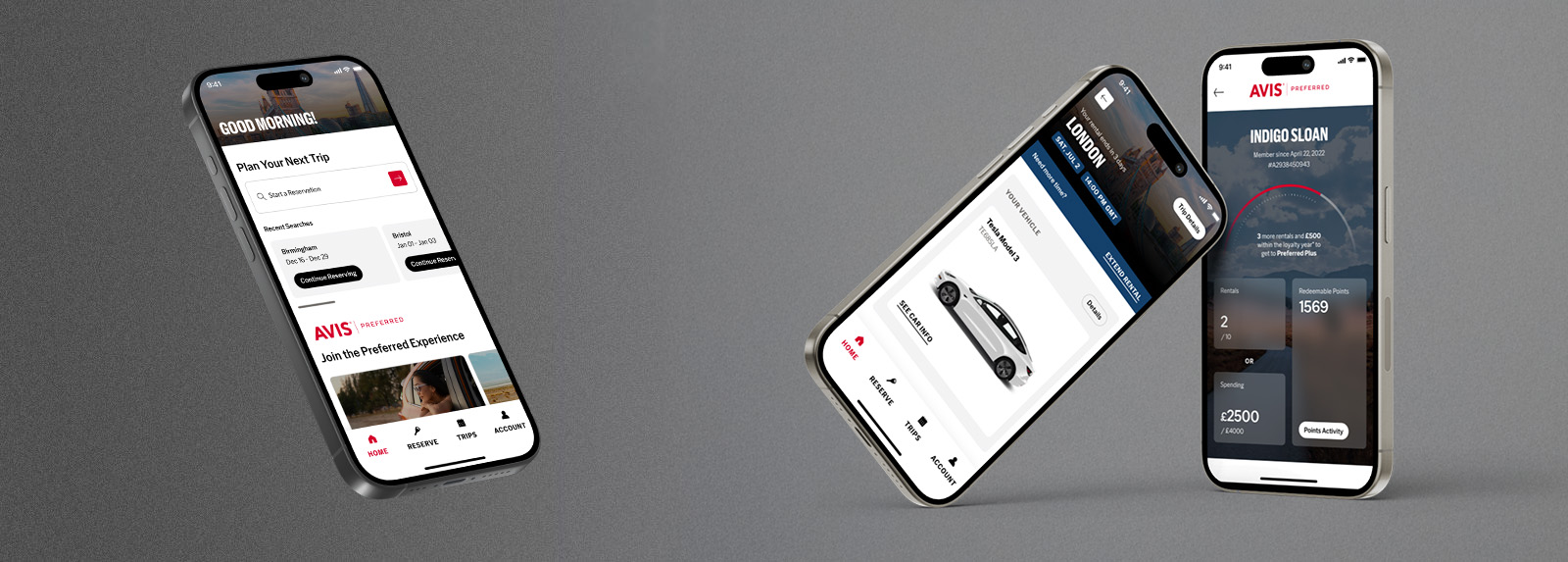
Manage your booking from the palm of your hand
The brand new Avis app makes it easier than ever to manage your booking wherever you are.
- View, modify or cancel your reservations directly from the app. Keep track of your rental details and upcoming trips all in one place.
- Get assistance whenever you need it with our dedicated customer service team.
- Enjoy early access to promotions and app-exclusive deals, and be confident that you're getting the best possible price when you book your rental on the app.
Expedite your rental with Avis Preferred
Sign up to our free loyalty programme, Avis Preferred, to unlock even more great benefits powered by the Avis app.
- Skip the counter queues and get on the road as quickly as possible. At our most popular locations you can collect your car keys from a new self-service kiosk – only with the Avis app.
- Choose the exact make and model of your hire car, and upgrade at the touch of a button.
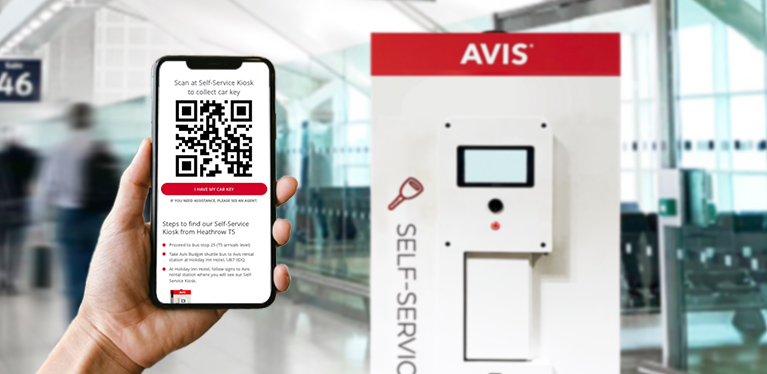
Use the Avis app to skip the counter with our self-service kiosks
Verify your identity
To access Avis self-service kiosks, use the Avis app at any time and complete the self-verification process (you'll need your driving licence).
Book on app
Make sure you're logged in to Avis Preferred (or sign up for free*). You'll get 10% off year-round for UK, Europe & South Africa travel.
Receive QR code
Before your journey, a QR code will be delivered to you.
Self-serve at Avis kiosk
Scan the QR code at the kiosk, enter your DOB and retrieve vehicle keys ... in less than 30 seconds.
*The first time you travel as an Avis Preferred member, we'll need to see you at the counter.